

Couples judge your website almost instantly, in just 50 milliseconds. That first impression determines whether they’ll book you or look elsewhere. Most engaged couples begin their search online, visiting your site and quickly deciding if they trust you with their big day. If your website is missing important features, you could lose bookings no matter how great your work is.
Wedding planning relies heavily on visuals. Around 93% of couples use the internet to find and book vendors. Your website is your main sales tool. If you only use Instagram, you miss out on 60% of couples who search on Google.
Mobile devices make up 72% of visits to wedding vendor websites. In the evenings and on weekends, that number goes over 80%. If your website does not work well on mobile, most potential clients will miss you.
This article covers the key features, design trends, and technical basics every wedding planner website needs in 2026 to turn visitors into clients.
Wedding Planner Website Design Trends: What Works and What Does Not?
Stop using these elements:
- Generic copy-paste templates that look like every other planner site
- Walls of dense text that slow visitors down
- Clunky, outdated RSVP forms
- Light blush overlays
- Cursive fonts everywhere
- Floating flower graphics
- Sites you set up once and never update
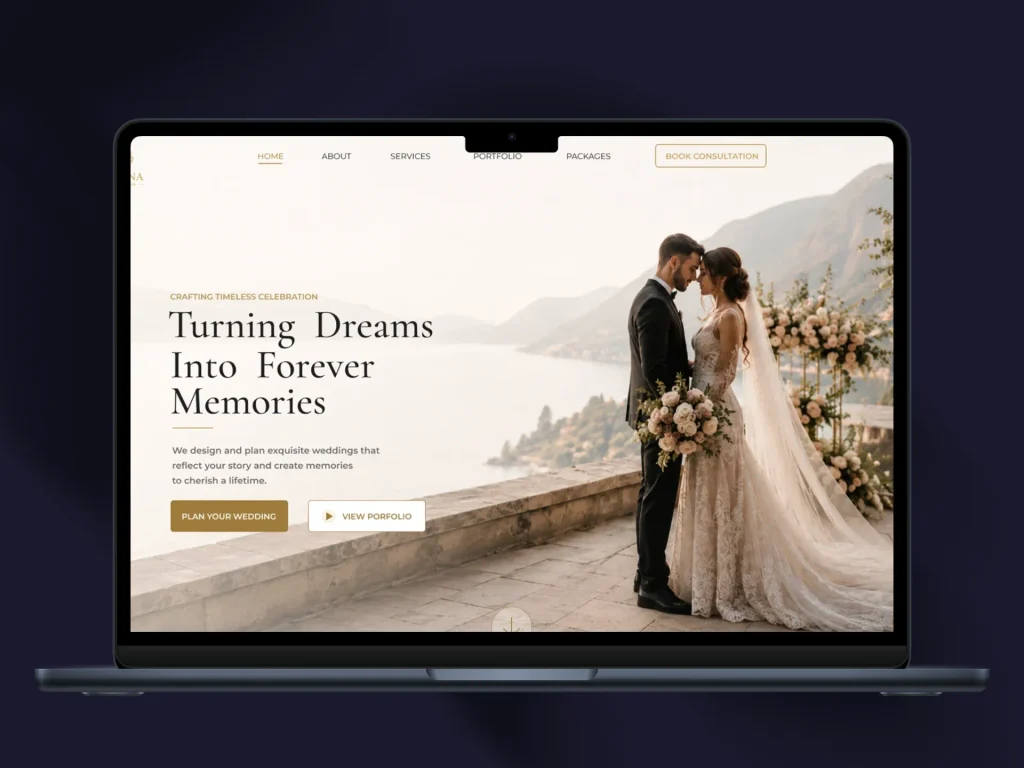
Start using these elements:
- Mobile-first app-like user experiences with one-tap actions
- Sticky navigation with large tap targets
- Swipeable galleries
- Immersive on-brand visuals that convey romance and professionalism
- Micro-animations and muted cinematic clips that feel elevated
- Behind-the-scenes moments and textures that add authenticity
- Curated galleries and anti-grid layouts with bold color palettes
- Editorial-style layouts with generous white space
- Elegant typography pairings
- Narrative-driven design instead of endless gallery scrolling
- Privacy-forward details like gated addresses and guest lists behind passwords
- Accessibility by design with readable fonts and strong color contrast
- AI-powered features like chatbots and automated planning tools=
Core Design Principles
1. Mobile-First Design
Mobile traffic dominates at seventy-two percent. Desktop accounts for twenty-three percent. Tablets make up only five percent. Most couples browse wedding vendors on their phones, often late at night or during a lunch break.
- Buttons need to work with a thumb tap, not just a mouse click.
- Text should stay readable without pinching or zooming.
- Test every page on a phone before you call the site finished.
2. Thumb-friendly navigation requires
- Minimum 44×44 pixel tap targets
- Bottom sticky navigation for easy one-handed use
- Readable text without zooming
- Body text minimum 14 pixels with ample line height
3. Fast Page Load Speed
53% of mobile users leave sites that take more than three seconds to load. Each extra second cuts conversions by seven percent. A slow site can cost you bookings before couples even read a word.
- Compress images and avoid heavy background videos on the homepage.
- Test your site speed with a free tool like Google PageSpeed Insights.
- Aim for a load time under three seconds. Every extra second past that pushes more visitors to click away.
Touch-friendly buttons work best at a minimum of 48×48 pixels. Larger buttons work even better for one-handed browsing.
4. Visual Hierarchy and Branding
Your color palette should reflect your brand’s personality. You might go for soft and romantic, bold and modern, or minimal and luxurious colors. Clean, simple layouts help your work stand out. Elegant design shows you offer premium quality. Always use high-quality photos.
5. Accessibility
Add alt text to every image. This improves accessibility and boosts your Google Image search results. Use strong color contrast and clear link labels. Make sure your site is keyboard-accessible. Do not put important text inside images.
Must-have Essential Pages
6. Homepage: Your Digital First Impression
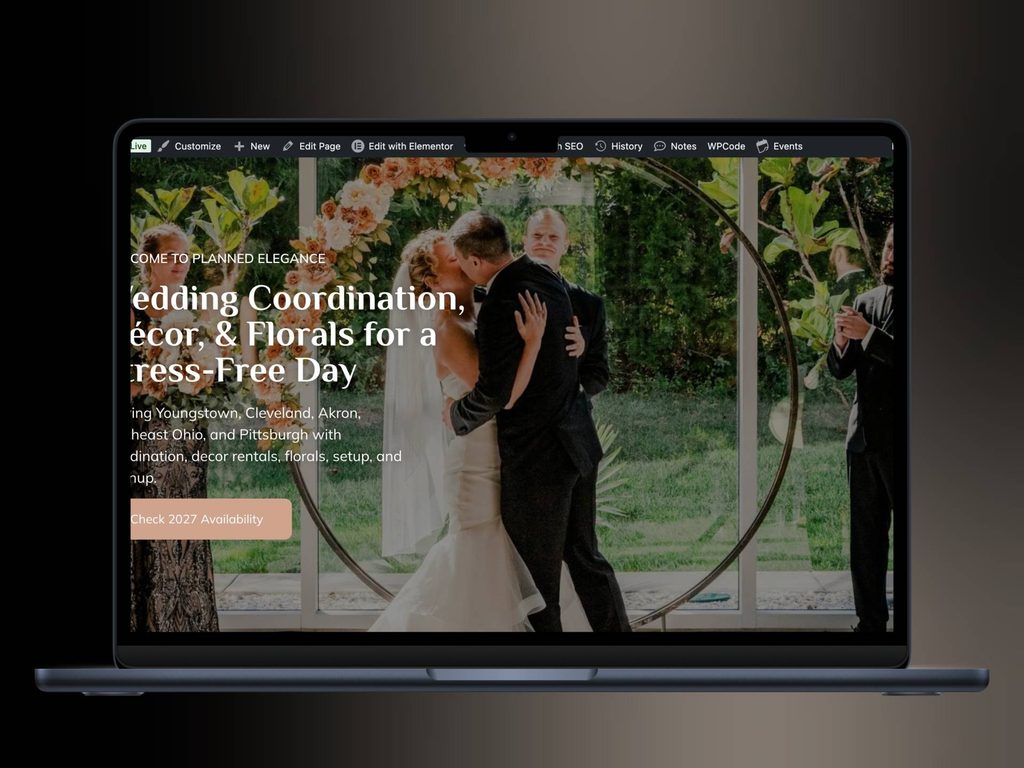
Use a bold hero image or video from your real weddings instead of stock photos. Add a short line about who you help. Place a clear call to action at the top, like “Check Your Date” or “Inquire Now.” Visitors should quickly see your style and know what to do next.
7. Portfolio That Tells Stories
Showcase real weddings and share the story behind each one. Include details like the couple’s vision, challenges, and the final result. Organize galleries by style, venue, or season so visitors can picture their own day. List the venue, guest count, season, and what made each wedding special.
Couples want proof, not promises. A portfolio gallery shows what a wedding with you actually looks like.
- Use real photos from real weddings. Skip stock photos.
- Group the gallery by style, season, or venue type so couples can find weddings that match what they envision for themselves.
- Compress every image before uploading. Large files slow down the page and cost you, visitors.
- Add short captions with the venue name and wedding style. This also helps the page show up in search results.
8. Services and Packages
A confused couple will not book a call. Lay out your services in plain terms.
List each package separately:
- Full planning
- Partial planning
- Day-of coordination
Describe what each package includes in plain language. Avoid vague terms like “premium experience” and clearly explain the actual tasks and support couples will receive.
Adding a starting price, even a range, helps filter out couples who are not a budget fit. This saves time on both sides.
9. An About Page With a Real Face and Story
Share a real photo of yourself instead of a stock image. Tell your story and explain how you work. This helps couples connect with you. Write in your own voice, not as a company bio.
Couples hire a person, not just a business name. The about page is where you build that connection.
- Add a photo of yourself, not just a logo.
- Write a short story about how you got into wedding planning. Keep it honest and specific.
- Avoid generic lines about passion and dedication. Share something with couples that they will not find on any other planner’s site.
10. An Easy-to-Find Contact or Inquiry Form
Create an online inquiry form that asks key questions, such as the wedding date, guest count, venue, and budget. Make your contact details easy to find. Connect your form to your CRM for automatic follow-ups.
The contact form turns browsing into a lead. If couples cannot find it fast, they leave.
- Place a link to the form in the main menu, not just the footer.
- Keep the form short. Ask for name, email, wedding date, venue, and budget range. Long forms scare people off.
- Set up an automatic reply so couples know their message was received. Silence after submitting a form can make people uneasy.
Must-Have Features for 2026
11. AI-Powered Features
Add an AI wedding concierge or chatbot to answer questions at any time and handle common requests. Use AI tools to create portfolio features like editable carousels, mood boards, and lookbooks. More than 56% of couples with 2026 weddings used AI in their planning, and 36% now use AI for wedding searches and planning.
12. Seamless Inquiry and Booking System
Add online inquiry and booking forms to your site. Show an availability calendar with your open dates. Connect your site to CRM tools like HoneyBook, Dubsado, or Aisle Planner. Set up automated follow-ups to keep booking smooth from the first inquiry to the signed contract.
13. Portfolio Lightbox Gallery
Use full-screen portfolio layouts without layout-breaking issues. Include masonry grids and slideshow formats. Optimize high-resolution images for fast loading.
14. Client Portal
Consider adding a client portal to your website. This gives clients one place to manage everything, from guest lists and seating to timelines and vendor contacts. You can also include branded proposals and contracts with e-signatures.
15. Testimonials and Review Integration
Show social proof clearly on your site and link it to review platforms. Trust is more important than any headline when selling wedding planning services. Testimonials give couples proof from people who have already gone through the process.
- Use real quotes tied to specific weddings when you can.
- Pull star ratings from Google or The Knot and display them near the top of the page.
- Place a testimonial right before your booking form or contact section. Couples read one final piece of proof before they act.
16. Social Media Integration
Add your Instagram feed to your website. Include Pinterest pins, carousels, and social sharing buttons. Reviews are not the only trust signal couples look for.
- Embed your Instagram feed so visitors see recent work without leaving your site.
- List any press mentions or awards.
- Name the vendors you work with often, like photographers and venues. This shows couples you have real industry connections.
17. Clear Calls to Action Throughout
Every page should give visitors an obvious next step.
- Repeat a “Book a Consultation” button on every page, not just the homepage.
- Swap vague buttons like “Learn More” for direct ones like “Check Availability” or “Book a Call.”
- Keep the button color consistent so it stands out from the rest of the page.
| Feature | Why It Matters |
|---|---|
| Portfolio Gallery | Proves your work instead of just describing it |
| Service Packages | Helps couples know what they are paying for |
| Contact Form | Turns interest into an actual lead |
| Testimonials | Builds trust before couples commit |
| Mobile Design | Matches how most couples actually browse |
| Page Speed | Keeps visitors from leaving before they read anything |
18. Live Chat or Chatbot
Offer live chat so couples can get help right away. Use AI chat options to ensure 24/7 availability.
SEO and Discoverability in 2026
19. Local SEO
Most couples search for wedding vendors in their local area, like “wedding planner in [city].” If you work in more than one location, make a separate page for each area. Keep your Google Business Profile up to date, and make sure your name, address, and phone number are consistent everywhere online.
Couples usually search for a planner near their wedding location. Your site needs to show up in those results.
- Add your city and region to page titles and headers.
- Link your website to your Google Business Profile.
- Use phrases like “wedding planner in Austin” naturally in your text, not stuffed into every sentence.
20. Answer Engine Optimization
AI search is starting to replace wedding directories. Ranking on Google is no longer enough. Make sure your site is easy for AI search and large language models to find. Thirty-six percent of couples now use AI when looking for wedding services.
21. Content Marketing: A Blog or FAQ Section
Write blog posts that use wedding-related keywords. For example, cover topics like “How much does a wedding planner cost in [city]?” or “Questions to ask a wedding planner.” This helps show couples that you are the expert they should hire.
A blog does two jobs at once. It answers common questions, and it brings in search traffic from couples still researching.
Cover topics couples search for often:
- How much does a wedding planner cost?
- What does a wedding planner actually do?
- When should you hire a wedding planner?
Fresh content also tells search engines that your site is active, which helps your rankings over time.
22. Technical SEO
Make sure your site is set up for mobile-first indexing, since search rankings now depend mostly on how your mobile site performs. Keep your load times under three seconds and add schema markup for local businesses.
23. Performance and Speed Optimization
Resize your images for the web and use lazy loading to speed up page load times. Limit plugins and extra scripts. Choose a fast, reliable host instead of a budget one. Turn on caching and use a CDN to speed up your site for visitors everywhere.
24. Platform Recommendations
Squarespace works best for planners who want beautiful templates with minimal setup. It includes purpose-built templates, portfolio galleries, integrated booking, and built-in SEO.
- Wix Studio suits planners who need more customization. It offers a responsive gallery engine, AI tools, and over thirty wedding templates.
- WordPress provides full control and scalability. It includes infinite customization, SEO plugins, and blog functionality.
- Webflow appeals to design-forward planners. It offers a visual CMS, custom animations, and no-code flexibility.
- Showit works for planners who want a visual canvas without code. It provides drag-and-drop visual design.
Tech Stack Integration:
- CRM: HoneyBook, Dubsado, Aisle Planner, TTO
- Email marketing: MailerLite
- Payment processing: Stripe
- Analytics: Google Analytics with event tracking
Common Mistakes to Avoid
- If you hide your prices or make your contact form hard to find, you will lose bookings.
- Using stock photos instead of real wedding photos can damage your credibility.
- If your site is not mobile-friendly, you could lose more than seventy-two percent of potential clients.
- Every second your site takes to load can cost you seven percent of your conversions.
- If you use generic templates that do not show your brand’s personality, your site will not stand out.
- Long blocks of text can overwhelm visitors. Use short, easy-to-scan content instead.
- Without a clear call to action, visitors may not know what to do next.
- Using outdated design trends like blush overlays, cursive fonts, or floating flower graphics can make it seem like you are not keeping up with industry trends.
Conclusion
A great wedding planner website for 2026 should be mobile-first, visually appealing, use AI features, and focus on getting bookings. It should tell stories through your portfolio, build trust with testimonials, and make booking easy.
A beautiful website that hides prices, makes your portfolio hard to find, or buries your contact form will lose bookings to a simpler site that gets the basics right. Your goal is not to win a design award, but to help the right couple feel within a minute that you are the planner for them.
Are you ready to build or update your wedding planner website? Use these must-have features to grow your inquiries.
2026 Checklist
- □ Mobile-responsive design
- □ Thumb-friendly navigation with minimum 44×44 pixel tap targets
- □ Load time under three seconds
- □ Portfolio with real wedding stories
- □ Clear service packages with transparent pricing
- □ Inquiry form with qualifying questions
- □ Testimonials with names, dates, and photos
- □ AI chatbot or concierge
- □ Local SEO optimized
- □ Accessibility compliant with alt text, contrast, and readable fonts
- □ Blog with wedding-related content
- □ Social media integration
- □ CRM integration for lead management